Today, I woke up and wasn’t really feeling like writing code, so I downloaded Visual Studio 2026 and .NET 10.
This is not an article about what Microsoft has invented for the new versions, but more a personal opinion of what I saw and experienced with the latest Visual Studio 2026 version.
Visual Studio
I am just going to assume you know what Visual Studio is and why we use it, so I am going to skip the whole “What is Visual Studio” part.
However, I would like to tell you that the very first release of Visual Studio was in 1997, and it was called Visual Studio 97. Between that version and Visual Studio 2026 were 14 different versions. Yes, there is a Visual Studio 95, but it was never officially released. It was initially used internally at Microsoft and later became known as Visual Studio 97.

The newest version
But here we are, and Visual Studio 2026 has just been released for everyone to download and install.
The first release, the Insider’s version, was on September 1, 2025, and it includes a pack of new features that are also available in the full version. I will not mention them, as it would be a copy-paste from the official Microsoft release page. I think you are capable enough to read it there.
Launching
When I launch the Visual Studio 2026 IDE, it starts like version 2022. Select an existing project or create, open (folder), or clone a repository. But the icons are a bit smaller.

Okay, nothing special here. I will create a new Console app. The screen for the new project isn’t much different, except for the part where you can select .NET 10 (Preview). And this is how Visual Studio 2026 looks:

The colors are a bit different; the toolbar has a different color (lighter), and overall, it feels a bit more serene, almost calmer. Is that weird?
Let’s look at some new features.
Settings in Visual Studio 2026
The settings (or options) in Visual Studio 2026 are a bit different. It’s now in a tab, instead of a dialog, which is more consistent with how other parts of Visual Studio work, also in the 2022 version.
But to be honest… It feels a bit chaotic (personal!). Like, you have a lot of settings, and it’s just thrown on one big heap of settings.
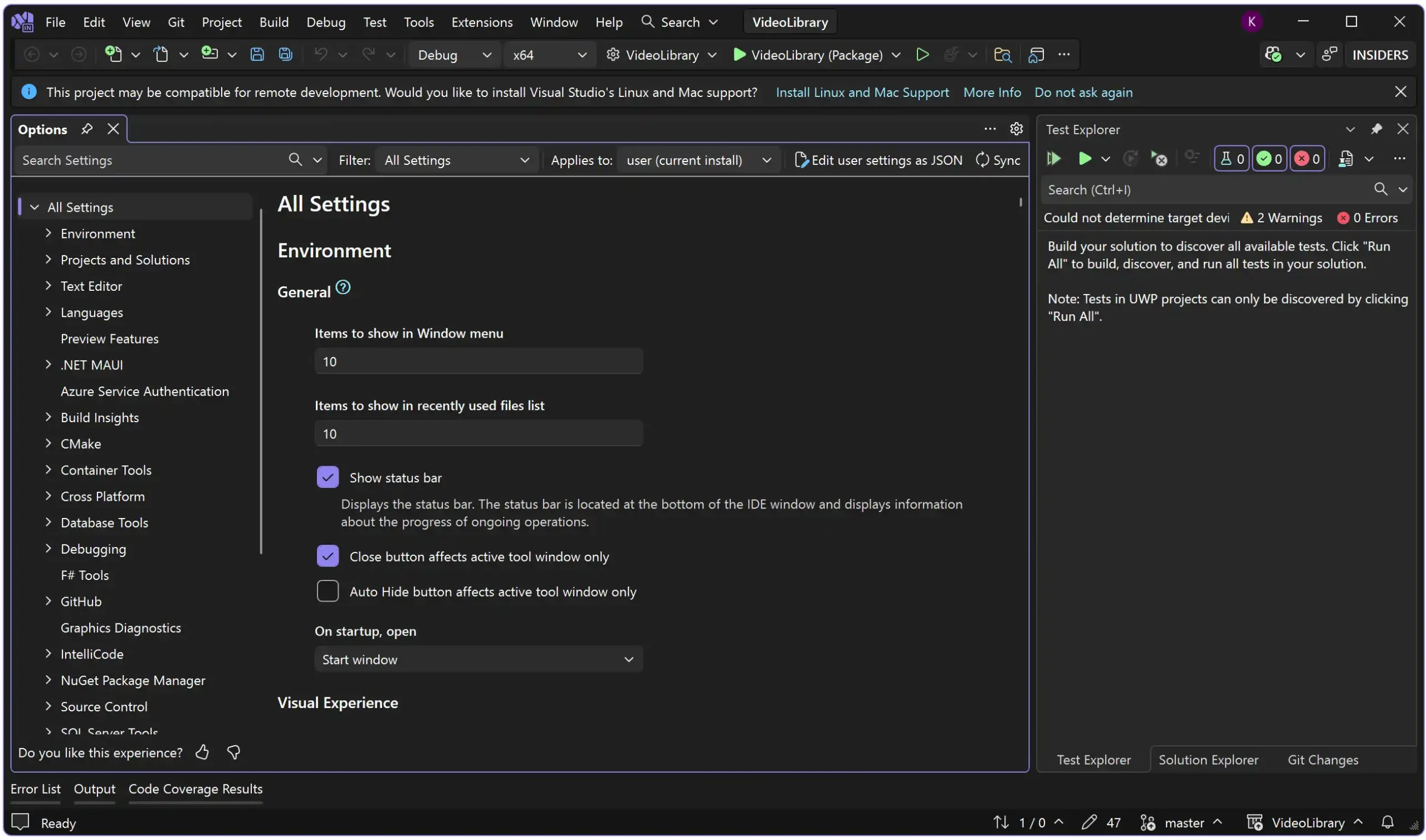
I do like the searching and filters at the top of the tab. It makes it easier to find a specific setting. You can always use CTRL + Q, which is still my go-to for finding anything in Visual Studio.
I guess it’s something to get used to. However, if you really don’t like it, simply go to Environment -> More Settings, where you can find links to the most commonly used settings. These links open the legacy dialog for those settings.
AI, AI, AI
The first thing I notice is that Microsoft is heavily promoting AI, particularly CoPilot, on the website, as well as in Visual Studio itself. The GitHub Copilot chat is open and focused, which makes it immediately visible.
Additionally, the release notes primarily feature AI-based new features. Even when you think, “Do I really need AI for this?” the answer from Microsoft is “Yes… and you will!”.
And of course I understand: AI is the talk of the town and “our saviour for all that we don’t like to do”… Or, in my case, never does what I want it to do.
Yes, I am not a big fan of AI. It’s a great tool, don’t get me wrong! But people are selling it as it AI can create whole applications and do everything for us. And I believe this is false. AI (ChatGPT, CoPilot, Deepseek) is a great tools that help us out when needed. Giving ideas, suggestions, or finding flaws in our code.
However, this is about Visual Studio 2026, so let’s get back on track. But the first thing I do is close the Copilot chat.
Performance
One of the newer “features” of the new Visual Studio should be performance. Let’s test that.
Next, I opened a large solution. A solution that contains 85 C# projects with a mix of different .NET versions. Pretty realistic and not based on best-case scenarios. It primarily contains C# libraries, as well as Blazor, Windows services, Android apps (Xamarin), and additional frameworks. In Visual Studio 2022, loading the entire solution takes around 18 seconds.
Let’s do the same in Visual Studio 2026. To load the same solution, it takes a whopping… 15 seconds… 3 seconds faster. And it’s not even loading the Xamarin projects, because they are no longer supported with .NET 10/C# 14 and Visual Studio 2026.
A rebuild—cleaning and building—the solution takes 12 seconds in Visual Studio 2022 and 33 seconds in Visual Studio 2026. Weird. Not sure where this is going wrong.
So, I am not (yet) convinced by Visual Studio 2026 for projects I used to run in Visual Studio 2022. Perhaps it works faster with new projects, specifically those built in Visual Studio 2026 with the latest .NET and C#? When you create a new project in .NET 9 or 10, you don’t get the SLN solution files, but an SLNX (Solution Next) format, which is faster than the normal SLN.
But, realistically speaking… Nobody is going to refactor older versions to the newest versions. It’s just too costly in time. And with the solution I am testing, it’s just impossible.
It feels a bit like when they introduced Windows 11 (or was it 10?), that it would start up super fast. However, in fact, they showed a laptop starting from sleep mode, with numerous caching and other features. Doing a hard restart takes way longer.
Benchmarking
One of the new features is the ability to add a benchmark project to your solution. This is pretty neat and doesn’t require AI, as far as I can see.
Benchmarking was previously performed using libraries retrieved from NuGet, for example. BenchmarkDotNet is a very well-used NuGet package for benchmarking. You had to install it into your Visual Studio, but now it’s already in Visual Studio 2026 as a template. Just add a new project, search for ‘Benchmark’, and you will find it.
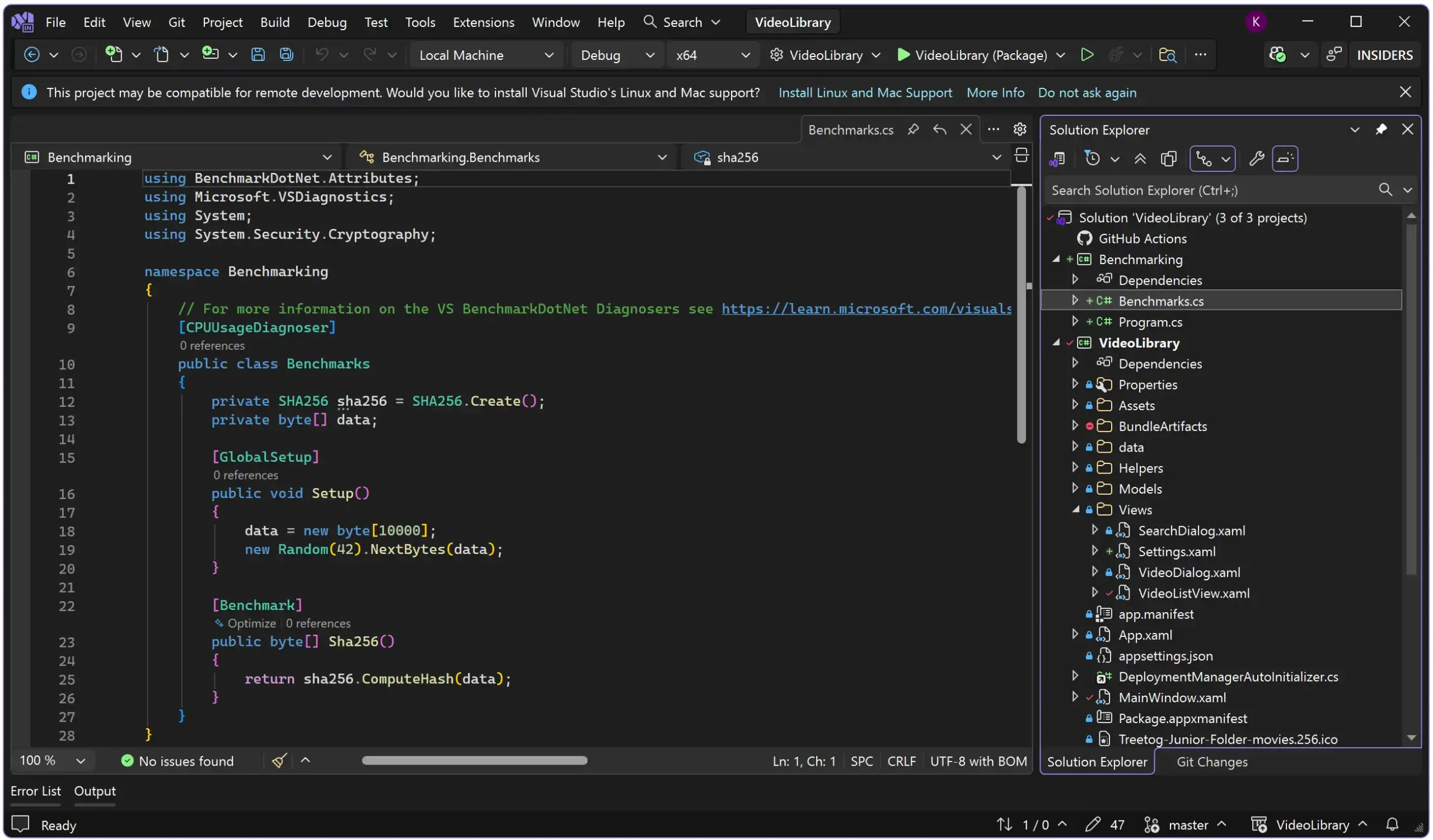
It’s the same BenchmarkingDotNet, but integrated, which is pretty cool.
Search Text Visualizer
When I work with large files, such as text files or JSON files, it’s challenging to pinpoint the information while debugging. For example, when a text file has been loaded into a variable, you can see what’s inside the variable while hitting a breakpoint. But the information is sometimes too big, and finding the correct information can be troublesome.
But now you can search inside the text visualizer! Open the variable with the Text Visualizer and press Ctrl + F to search for what you need.
Cover coverage
I was looking at the unit testing features of Visual Studio 2026 to see if anything caught my eye. I opened the menu Test and I saw… Code Coverage Results! Something that has been consistently missing in the 2022 community version!
Yes, it’s really there! The release notes indicate that it will be available in both the Professional and Community versions. No more need to install extensions to get code coverage in Visual Studio!

Memory usage of Visual Studio 2026
But memory-wise… It appears that Visual Studio 2026 uses a slightly higher amount of memory. When I open a project in Visual Studio 2022 (Community), I see it using 555 MB of memory. When I open the same project in Visual Studio 2026, it uses approximately 1.5 GB of memory. Now, please note that I have some extensions and other software installed in Visual Studio 2022, not in Visual Studio 2026.
This is weird, and I didn’t find an explanation for it. The memory could be an issue for Vidual Studio 2026, especially on machines with limited memory.
Before people start to reply with:
“Just update your memory!”
Yeah, some can’t or don’t have the money for it. The memory banks in my laptop are soldered, and the country I am currently in doesn’t have high-end laptops.
Overal impression
I do like the new look for Vidual Studio 2026. Although it’s not significantly different from the 2022 version, it does show a slightly calmer design. It’s easier to see where you need to be.
The downside is that Microsoft is so focused on AI that it forgets we are developers, looking for a way to write code in a good and fast way. Yes, AI can help us with that, but not entirely; it can support us, rather than take over. But hey, that’s my opinion.
Visual Studio 2026 is slightly faster with an older project, but the difference is not substantial. Newer projects, created with .NET 10, are quicker to load and build. However, since many applications are currently built with .NET 8, I doubt that many of my clients will decide to upgrade to .NET 10. Most of them are still struggling with .NET 9.
Upgrading to a new .NET version involves not only instructing your project to use a different version, but also updating packages and ensuring the hosts are capable of running the latest .NET version. Especially legacy applications take way longer to upgrade.
The new integrated tools and projects are excellent, as well as the code coverage. It makes Visual Studio 2026 a more complete tool, and it was big already.
The memory is a big downside, if you ask me. Maybe it will improve over time, but having three times more memory for the same project feels a bit unusual.
Visual Studio 2026 shows a lot of potential, and a lot could still change (please keep the code coverage!). But I think it could be a worthy successor to Visual Studio 2022.